Scan, sign and print
without a laptop
Searchable PDFs and real page edits, on your phone.
Printer Pilot turns a photographed page into a clean, searchable PDF — then lets you sign it, correct the text, reorder the pages, merge it with another file and send it to your printer, all before you would have finished opening a laptop.
Everything between the paper and the printer
One app for the whole errand, instead of a scanner app, a signing app, a PDF editor and a trip to a desk.
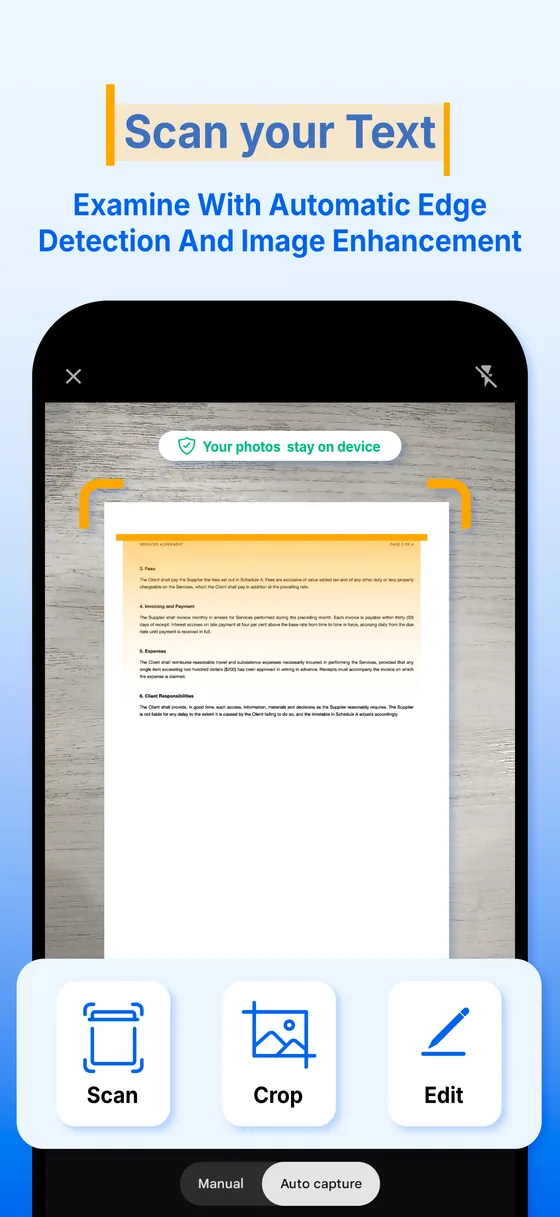
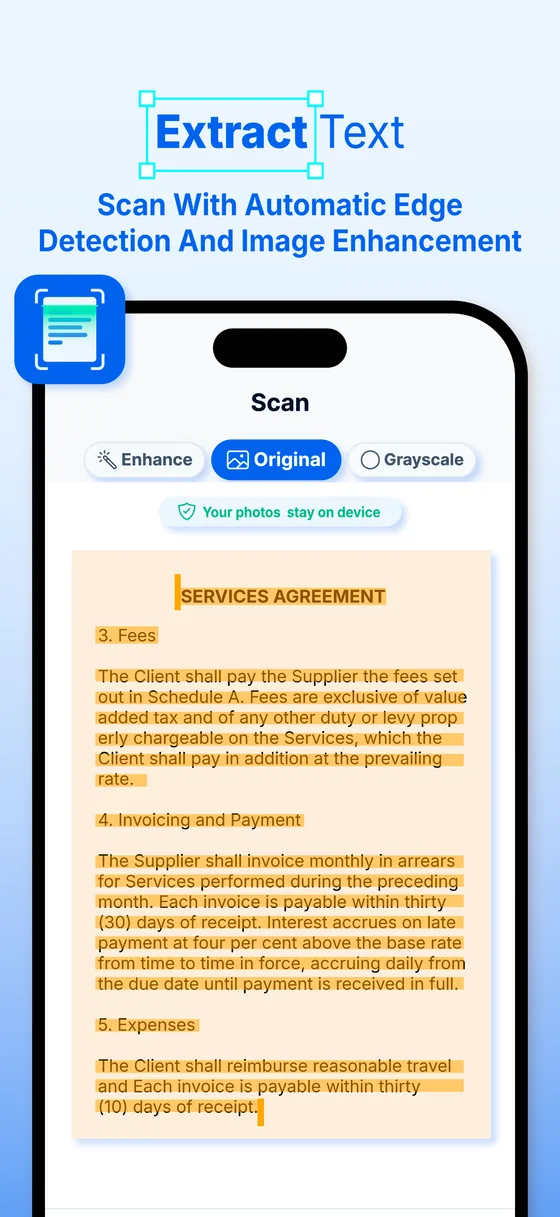
- Scan a page, get a clean PDF Capture with the camera and pick Enhance, Original, Grayscale or B & W. Keep adding pages until the document is whole.
- Search the words, not the filename Text extraction runs on your device — Apple Vision on iOS, Google ML Kit on Android — so a search for a word finds it inside a scan.
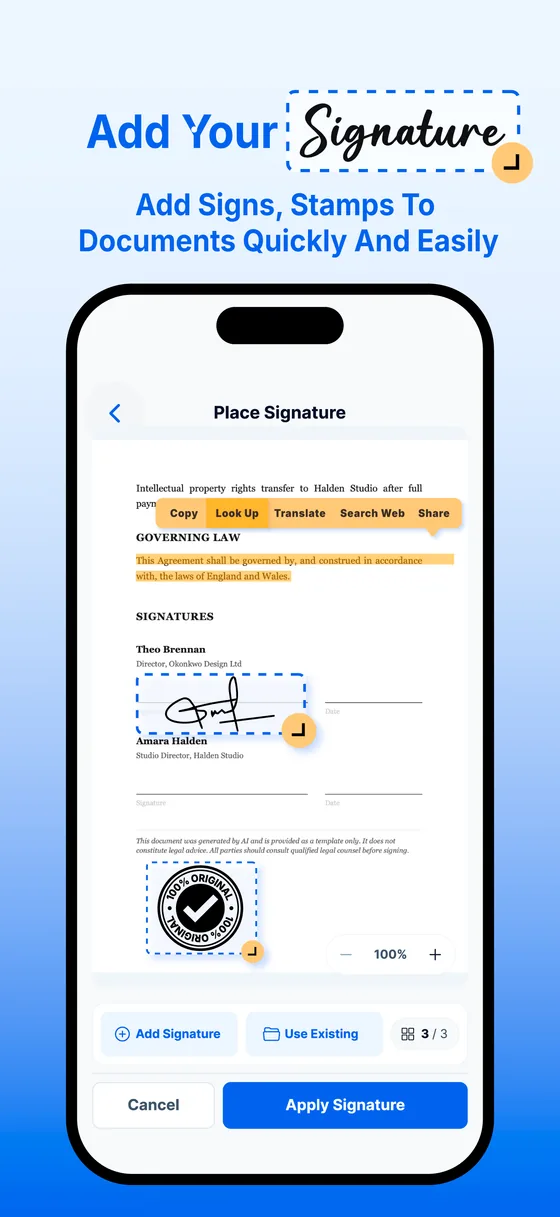
- Sign without printing Draw your signature or type it, then drag it where it belongs. Stamps for logos, seals and watermarks work the same way.
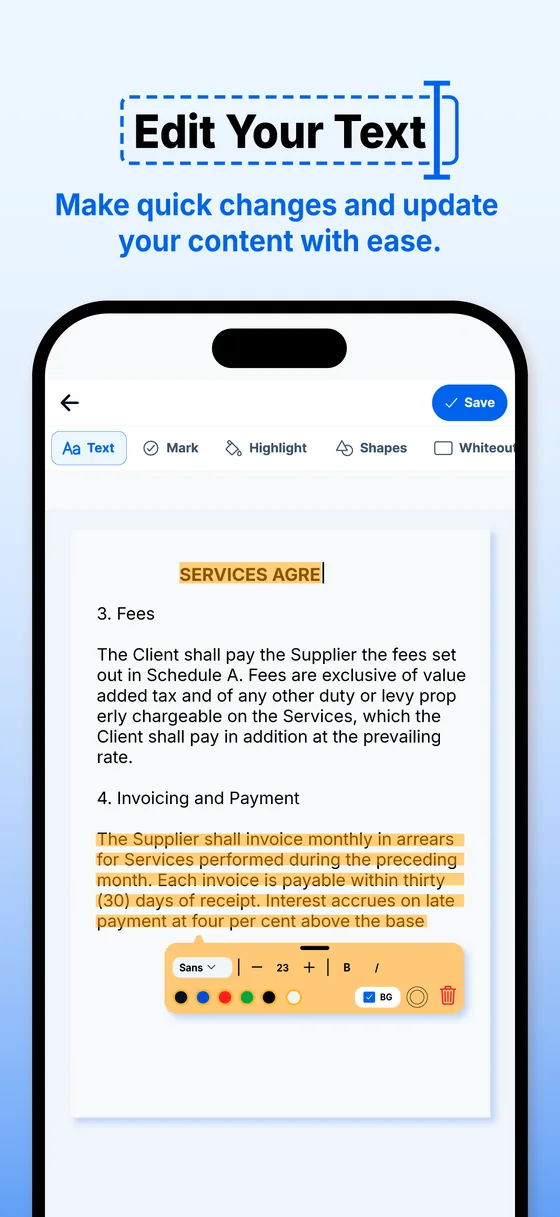
- Fix the text, not the scan Tap any line in a PDF to correct it. No laptop, no re-scan, no starting the page again.
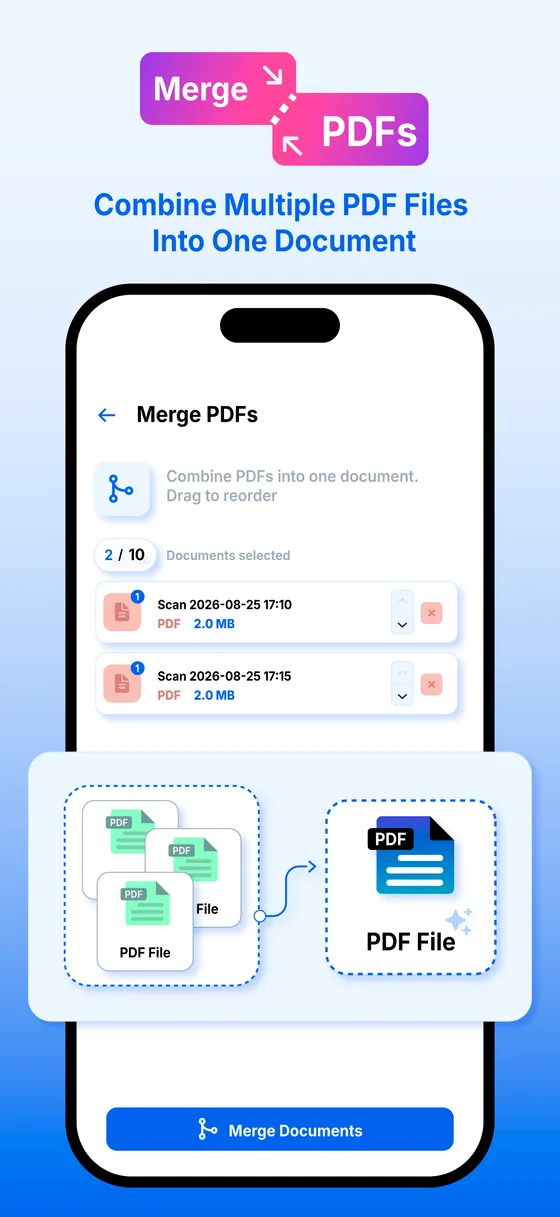
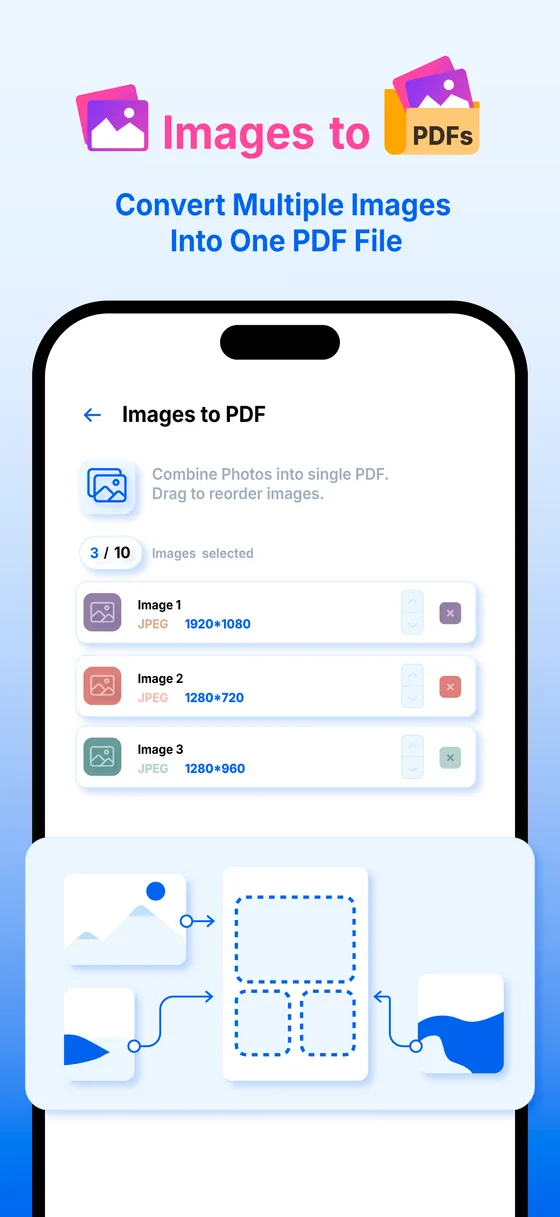
- Rebuild the document Rearrange pages, rotate the ones that came out sideways, drop the ones nobody needs, merge several files into one PDF, and turn photos into pages.
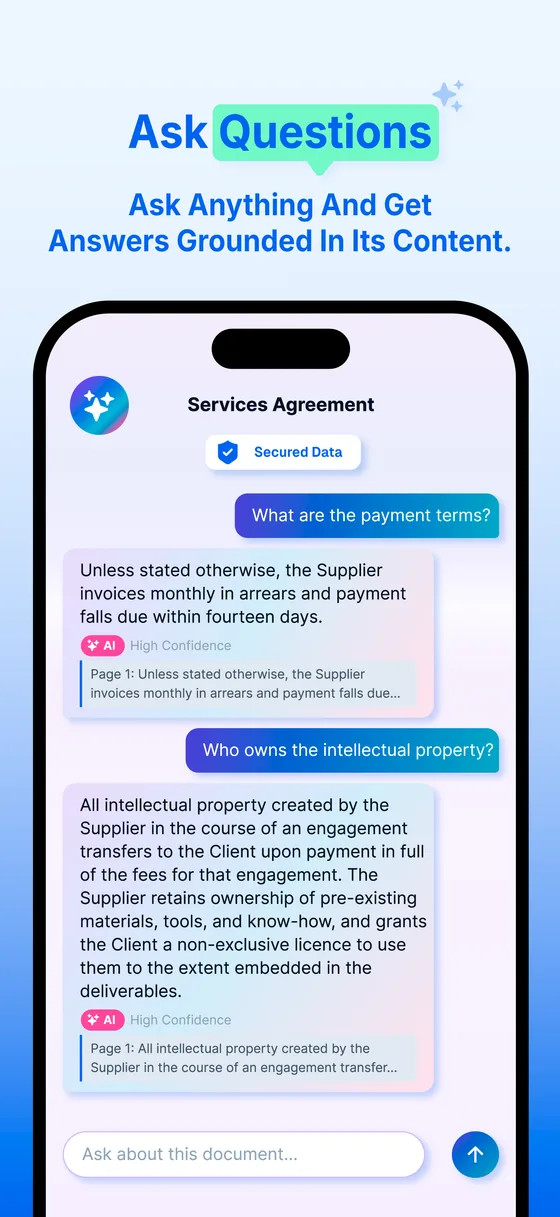
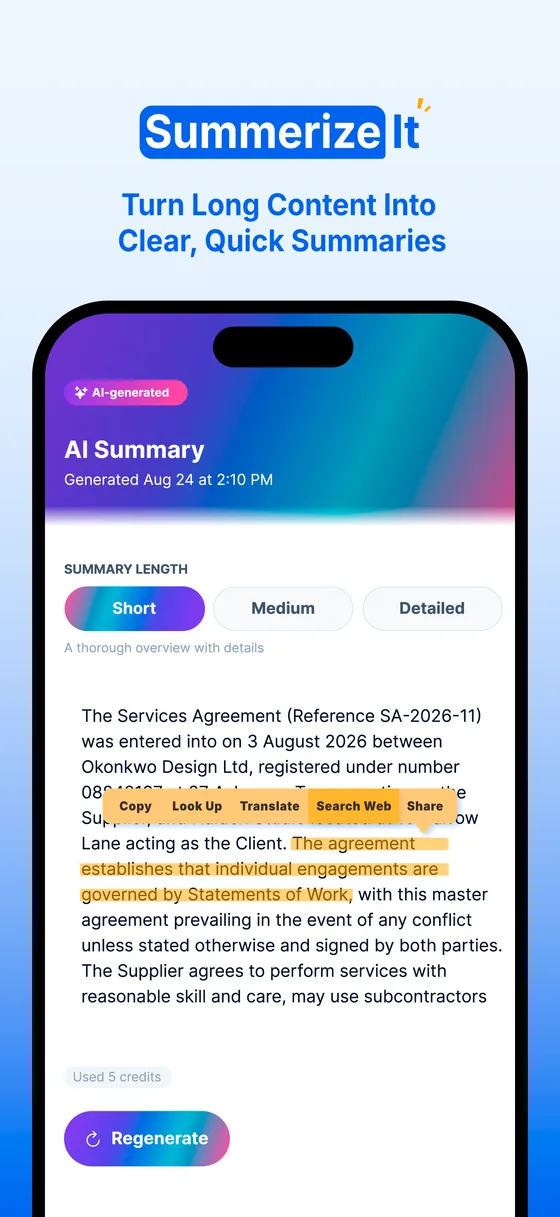
- Ask the document Summaries in short, medium or detailed. Chat to ask what a clause actually says. Extraction pulls the key fields out of invoices, receipts and contracts.
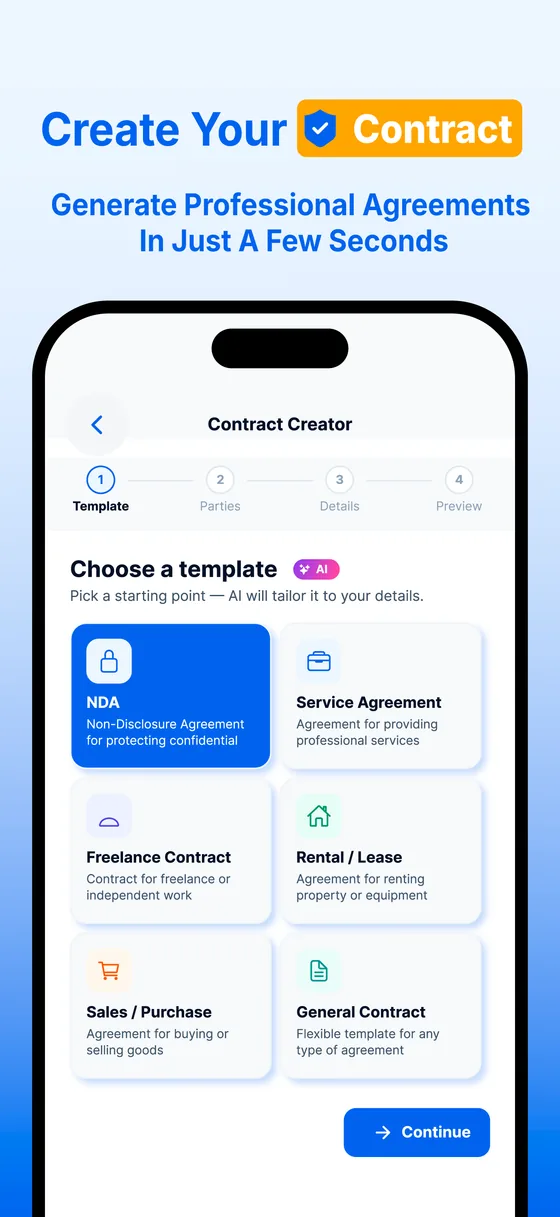
- Draft a contract Answer a few questions and get a formatted contract back, ready to edit, sign and send from the same screen.
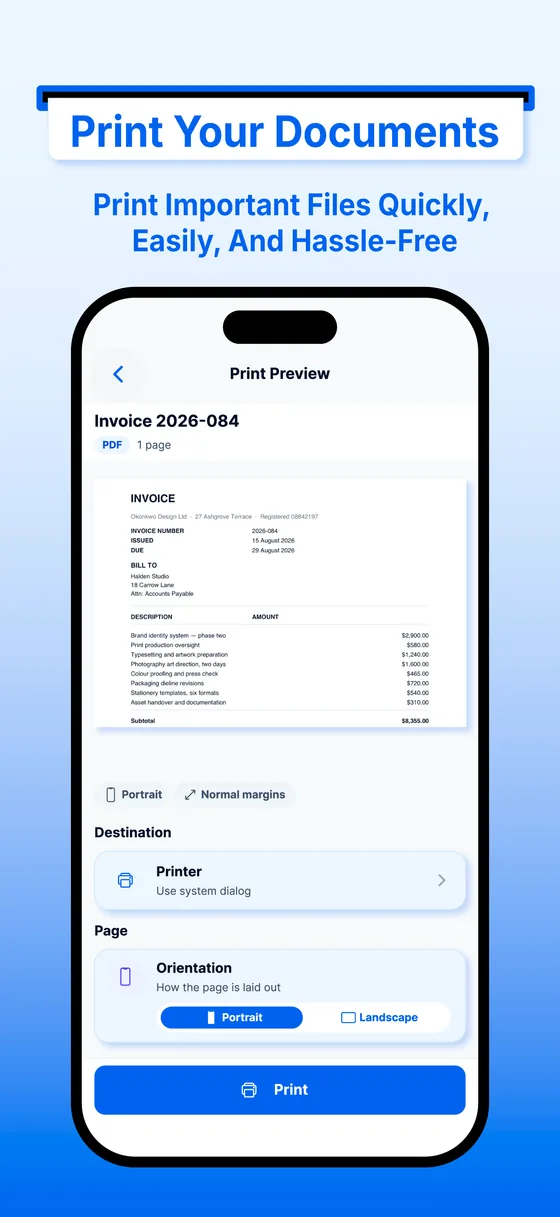
- Print from your phone Finds the printers on your Wi-Fi, shows their ink levels and what needs fixing, and prints directly: copies, colour, two-sided, paper size and margins, with the job tracked to the tray.
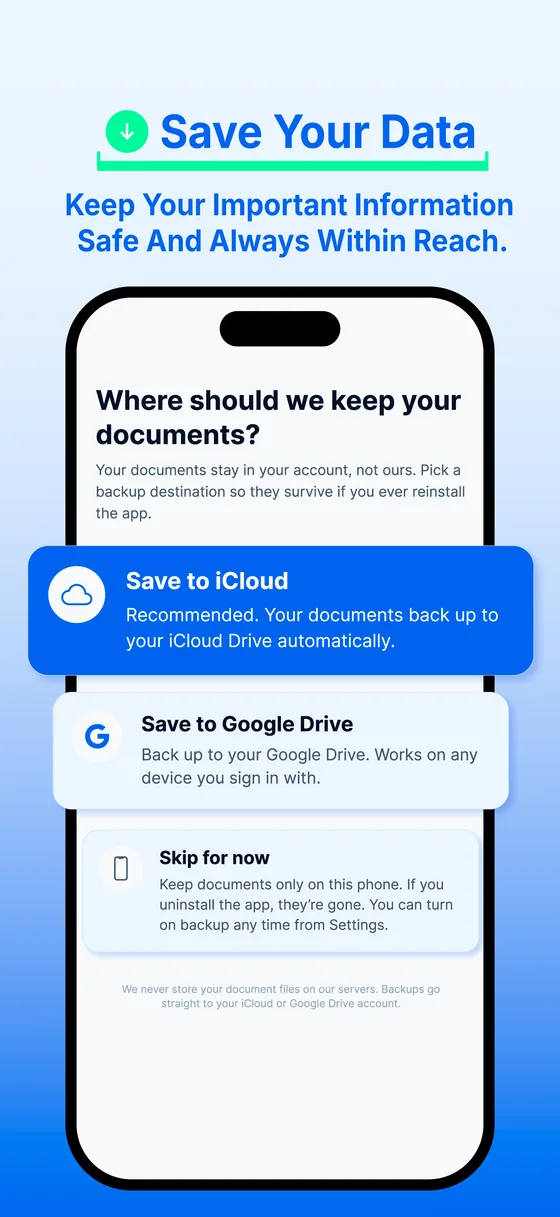
- Keep your library Documents stay on your device, and can be backed up to iCloud or Google Drive so they are there on your next phone.
A look inside
Real screens from the app. Scroll sideways for the rest.
Private by default, and you can check
The documents people scan are leases, invoices and medical letters. The app is built so most of that never leaves the phone — and the Privacy Policy names every service that ever sees any of it.
- Scanning and text extraction stay on the device Your camera images are not uploaded so we can read them. The platform OCR engine does that work locally.
- AI is off until you say yes You are asked before the first AI request and can switch it off again in Settings → AI and Privacy. Scanning, text extraction, the library and printing all keep working either way.
- AI providers never get your identity When you do use an AI feature, only the content being processed is sent — never your name, email address or account ID.
- We cannot see what you print Print jobs go straight from your phone to your printer over your own network. Documents are not routed to our servers to be printed.
- No ads, no tracking No advertising SDKs, no attribution SDKs, no cross-app tracking. We do not sell personal information.
Pricing
Scanning, text extraction and printing are free, with no page limit and no watermark.
Free
$0
- Scanning, with the full set of page filters
- On-device text extraction and search
- Your document library and viewer
- Direct printing, with printer status and ink levels
- Explain a letter, receipts, IDs & warranties and homework help
- 50 AI credits every month
Premium
$9.99 / month
- Everything in Free
- 1,500 AI credits every month
- Chat with a document
- Smart naming and tagging
- Field extraction from invoices, receipts and contracts
- PDF tools — merge, reorder, compress, convert
- eSignature, stamps and Get It Signed
- Contract creator
- Cloud backup and sync
Premium is an auto-renewing monthly subscription, billed to your Apple or Google account and renewing unless you cancel at least 24 hours before the current period ends. Manage or cancel it in your Apple or Google Play subscription settings — uninstalling the app does not cancel it. The price above is the United States tier; the app always shows the price for your own region and currency. See the Terms of Service and Privacy Policy.
Questions before you install?
Our support page covers subscriptions, restoring purchases and turning AI off. Anything else, email support@printerpilot.app — every message gets a reply.